Problem
Before Professor Selector, I handled course registration with a Notion database. For each class, I would collect professor names, look up ratings and grade history, and write my own verdicts: definitely, maybe, or no.
That worked for me, but it was a slow way to answer the same question every semester. The data lived across different surfaces, the comparison process was manual, and the final output still had to be translated into a registration plan.
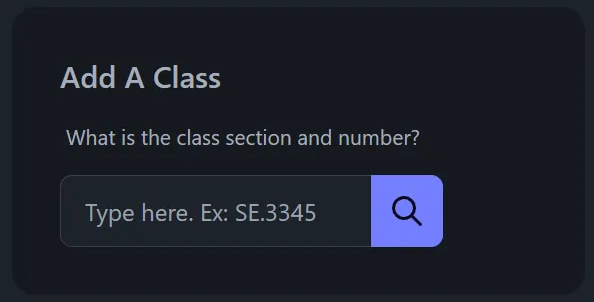
Professor Selector started at a UTD hackathon as a way to turn that workflow into an app. The goal was direct: search for a course, see the professors who were teaching it, compare the signals that mattered, and build a roster of the instructors I would actually try to register with.
Approach
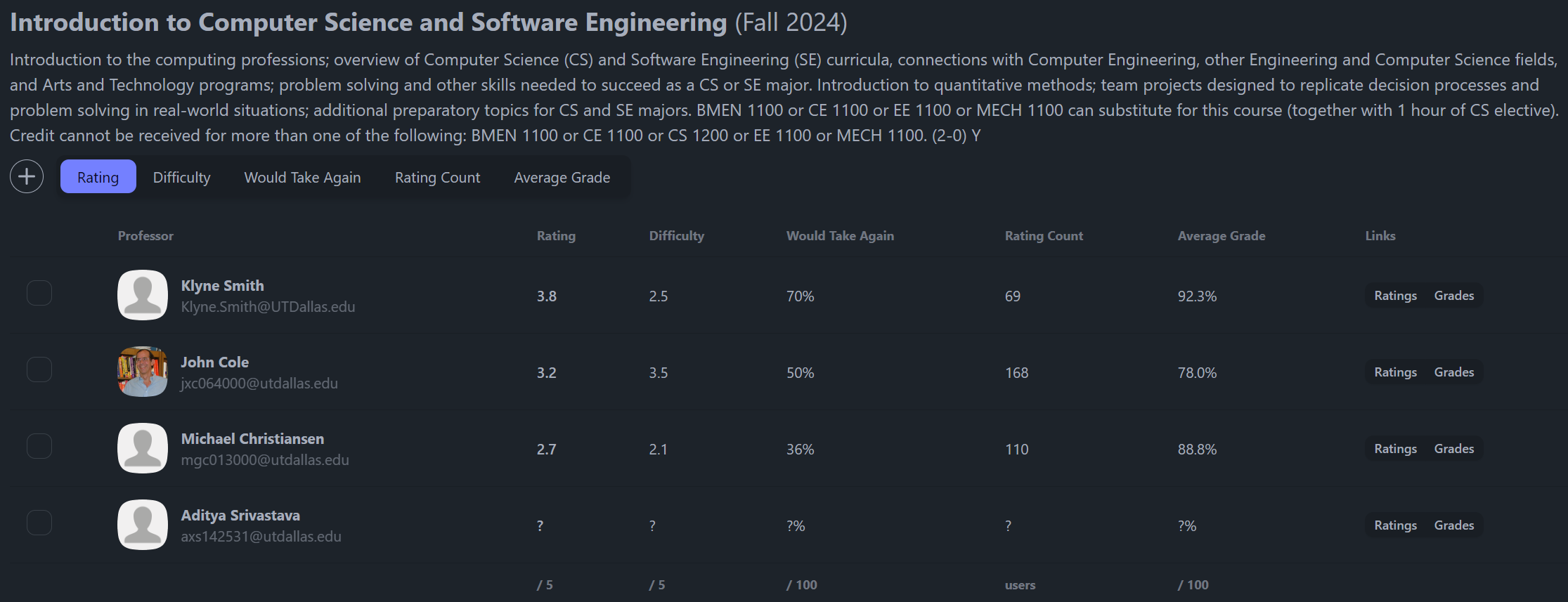
The app is built around a small roster workflow. A student searches for a course, the server loads the course and professor data, and the interface presents a table with ratings, difficulty, would-take-again percentage, rating count, average grade, and source links.
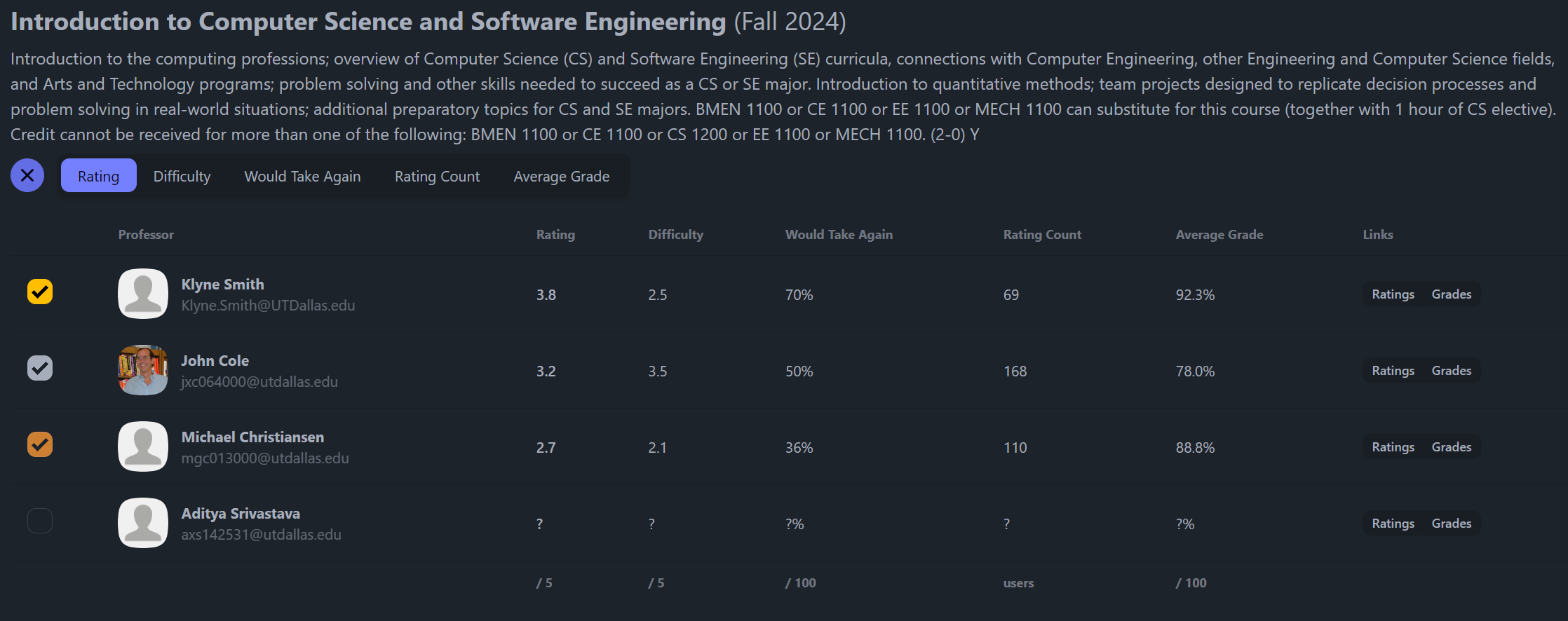
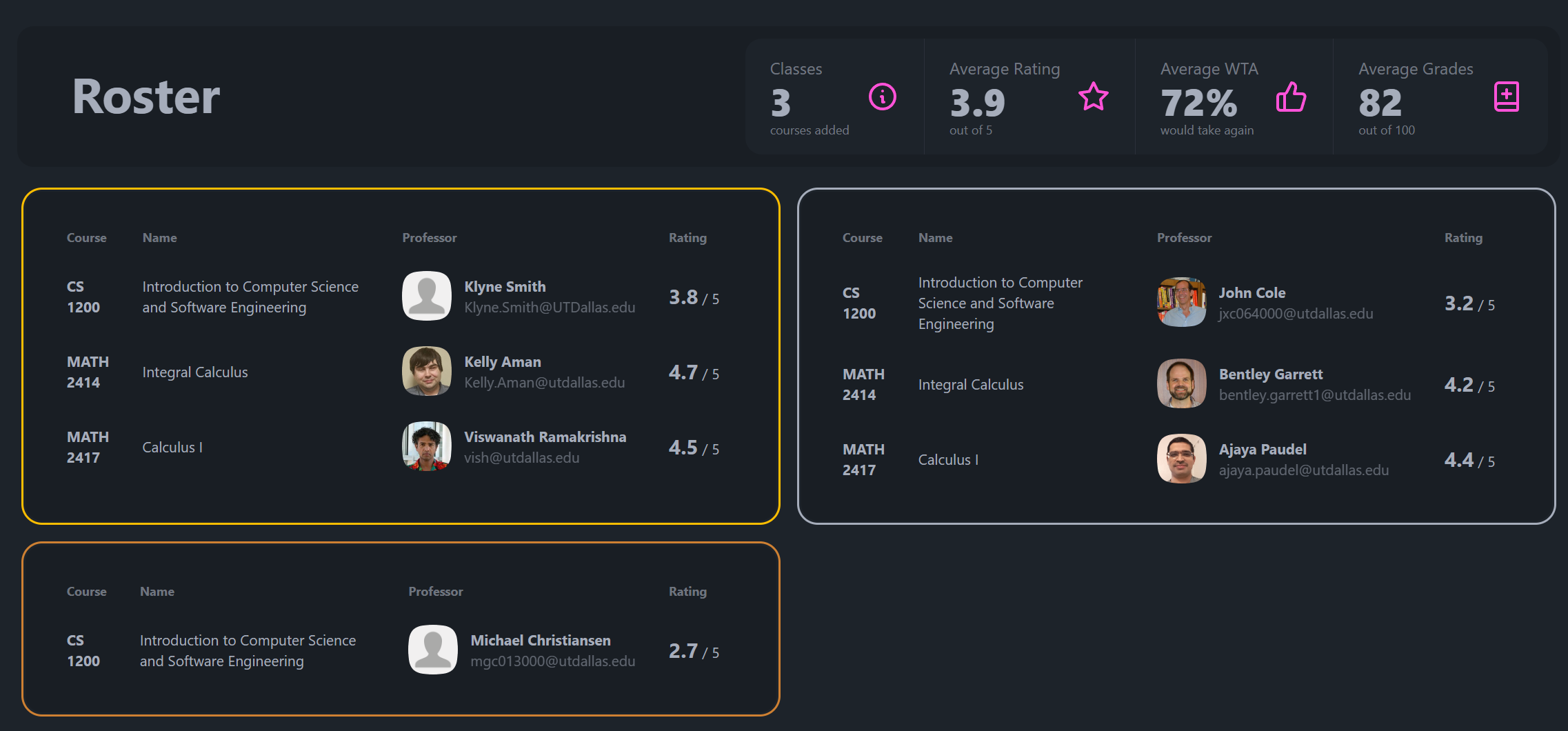
From there, the product decision is simple. The user can choose up to three preferred professors per course, then review those picks together in a roster view. That model came directly from the way I used to make Notion verdicts, but it turns the decision into something faster and easier to revisit.
I built the app with SvelteKit and TypeScript, with server-side data loading for the external calls and Zod schemas around the data coming back. The UI uses a desktop table where there is room for comparison, a smaller mobile layout where the same workflow still holds together, and persisted client state so the roster survives navigation.
Data Pipeline
The most interesting part was not the interface. It was getting the data into a shape where the interface could be useful.
Course and section data comes from UTD Nebula. Professor ratings come from RateMyProfessors through its GraphQL endpoint, which meant inspecting how the site queried professor search data and mapping that response into the app’s professor model. Grade history comes from UTD Grades CSV data, processed by a Python script into a local SQLite database that the app can query quickly.
That gave the app three different kinds of evidence: what course is being offered, who is teaching it, and how students have historically performed with that professor. Redis caching sits in front of repeat course and professor lookups so the app does not need to hit external services for the same result every time.
For a one-day hackathon build, the important design choice was choosing a practical data path. I did not try to make a perfect analytics platform. I focused on the minimum useful pipeline that could answer the professor-selection question quickly enough to feel like a real tool.
Outcome
Professor Selector was built by hand in a single day, then showcased and shared so other UTD students could use the workflow too.
The result was useful because it replaced several tabs and a manual notes system with one flow: search a class, compare the available professors, choose a preference order, and carry those choices into a roster. It also made the technical work visible in the product. The user sees a simple table, but that table is backed by API integration, a local grade database, caching, validation, and a stateful roster model.